This article explains how to cancel your filenote.ai subscription
Note: only the email address used at sign up can access the Client Portal
If you have any issues logging into the Client Portal, please send email with your request to: hello@blvsolutions.com. Let us know you would like to cancel, and we can action on your behalf.
Step 1: Access the filenote.ai Client Portal
- scroll to the bottom of filenote.ai website and click on "Client Portal"
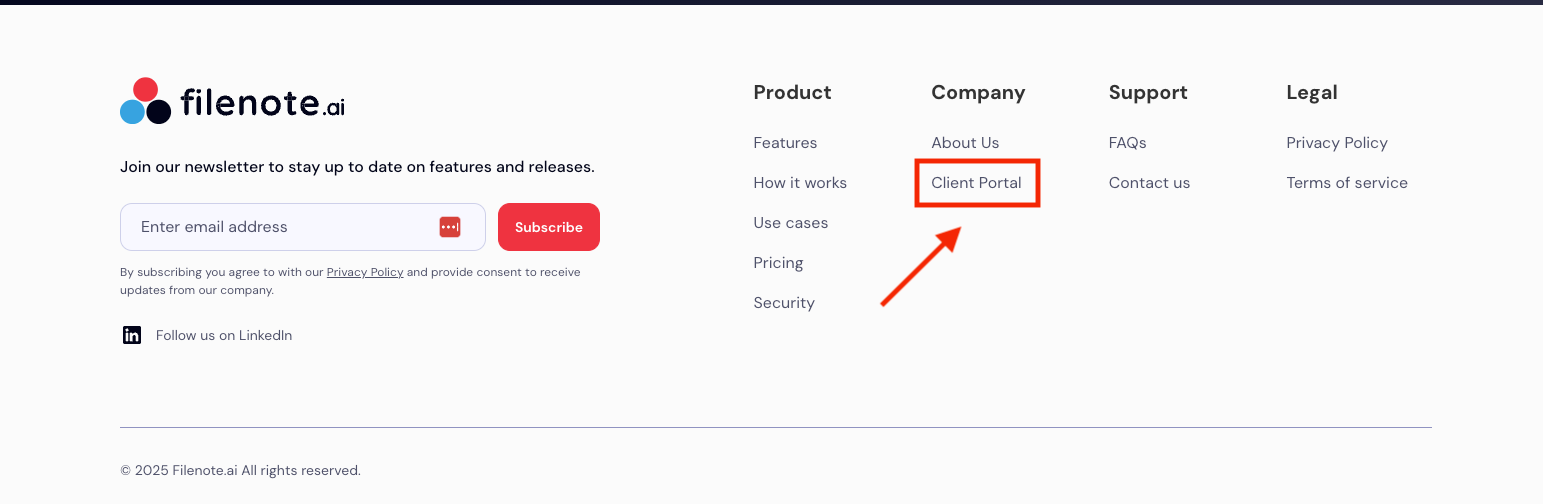
- Or follow this link: Client Poral
Step 2: enter your business email address and click 'Send'
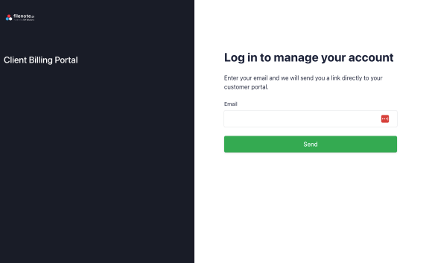
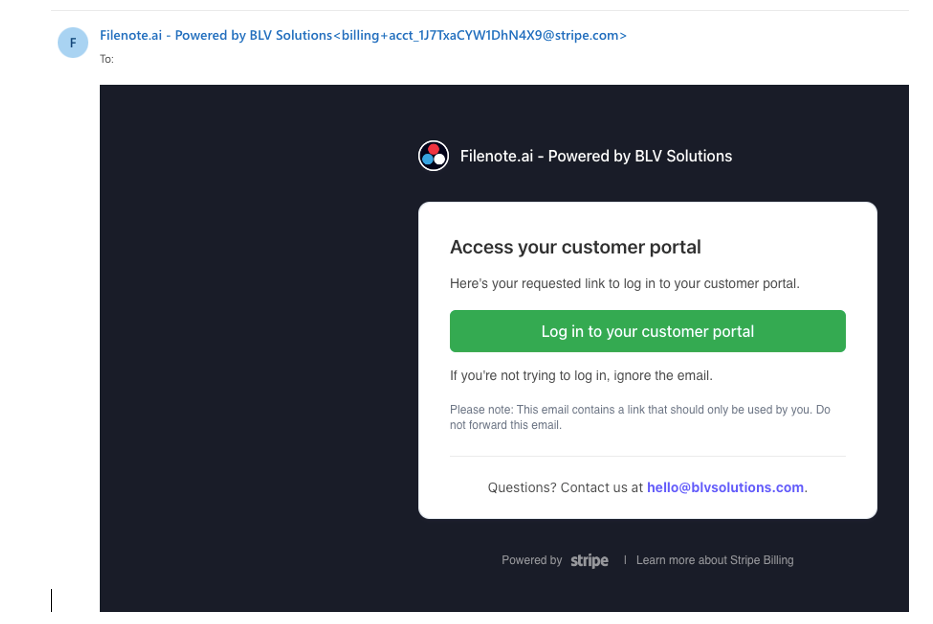
Stripe will send you an email with a link
- Click the link for the email (it will look like image below):
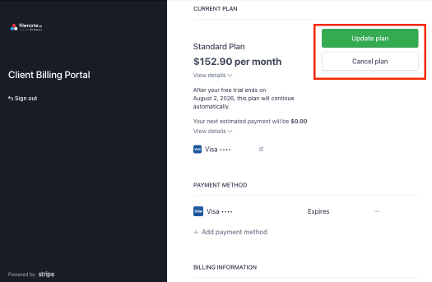
Step 3: Cancel Your Plan
- Cancel your plan using button on top right of screen
Note: only the email address used at sign up can access the Client Portal
If you have any issues logging into the Client Portal, please send email with your request to: hello@blvsolutions.com. Let us know you would like to cancel, and we can action on your behalf.
Stripe will send you an email with a link
Was this article helpful?
That’s Great!
Thank you for your feedback
Sorry! We couldn't be helpful
Thank you for your feedback
Feedback sent
We appreciate your effort and will try to fix the article