Follow these steps to record an in-person meeting via your Microsoft Teams app on your Desktop.
Launch Teams: Open the Microsoft Teams application on your desktop.

Navigate to Calendar: Click on the Calendar icon in the left-hand sidebar.
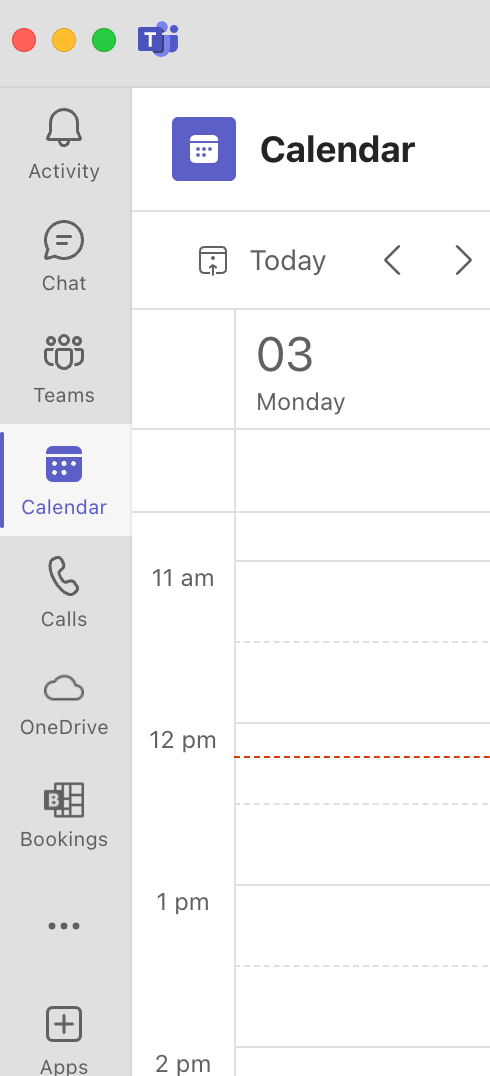
Initiate Meeting: Click the Meet Now button in the top right corner.
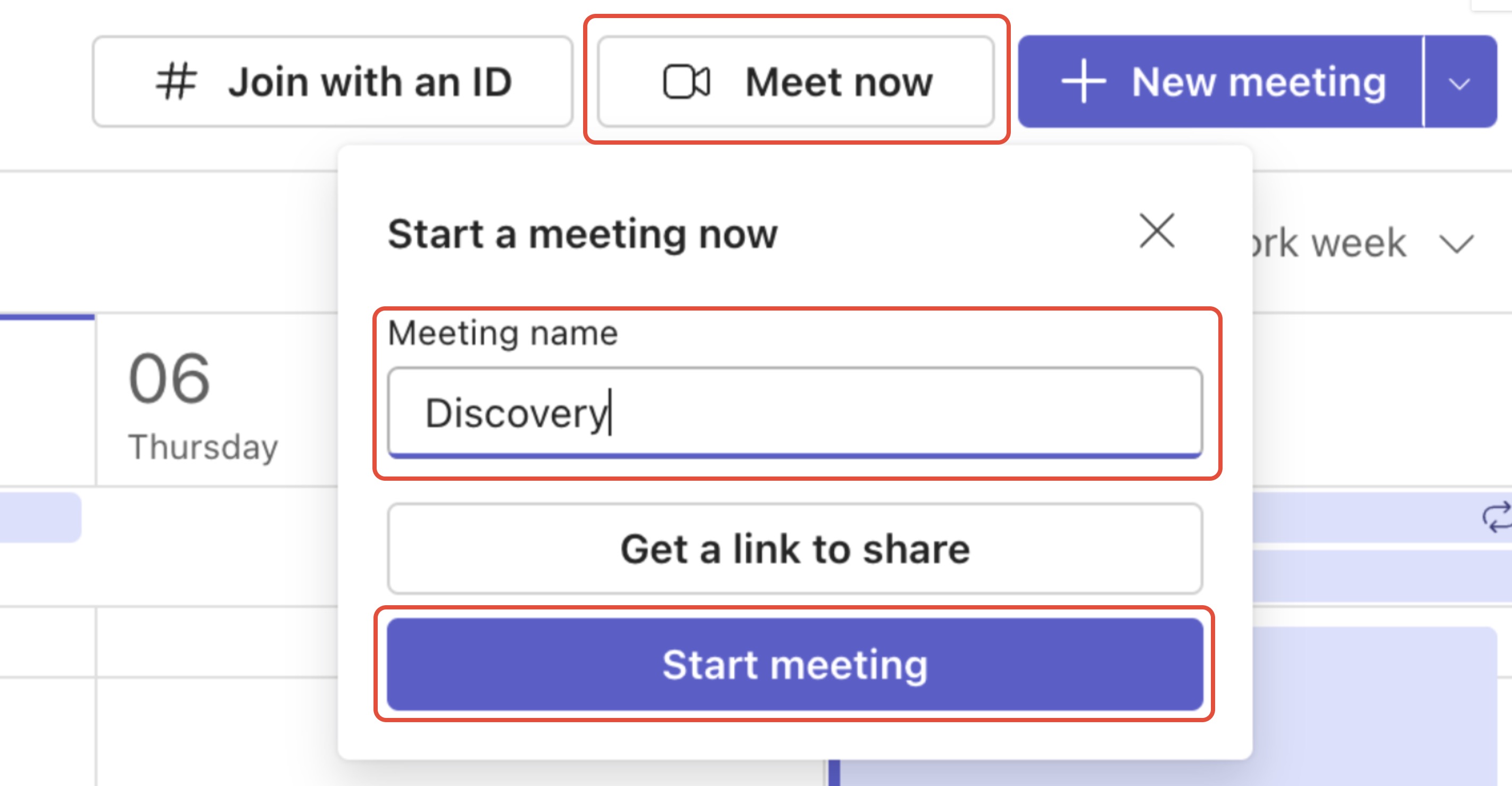
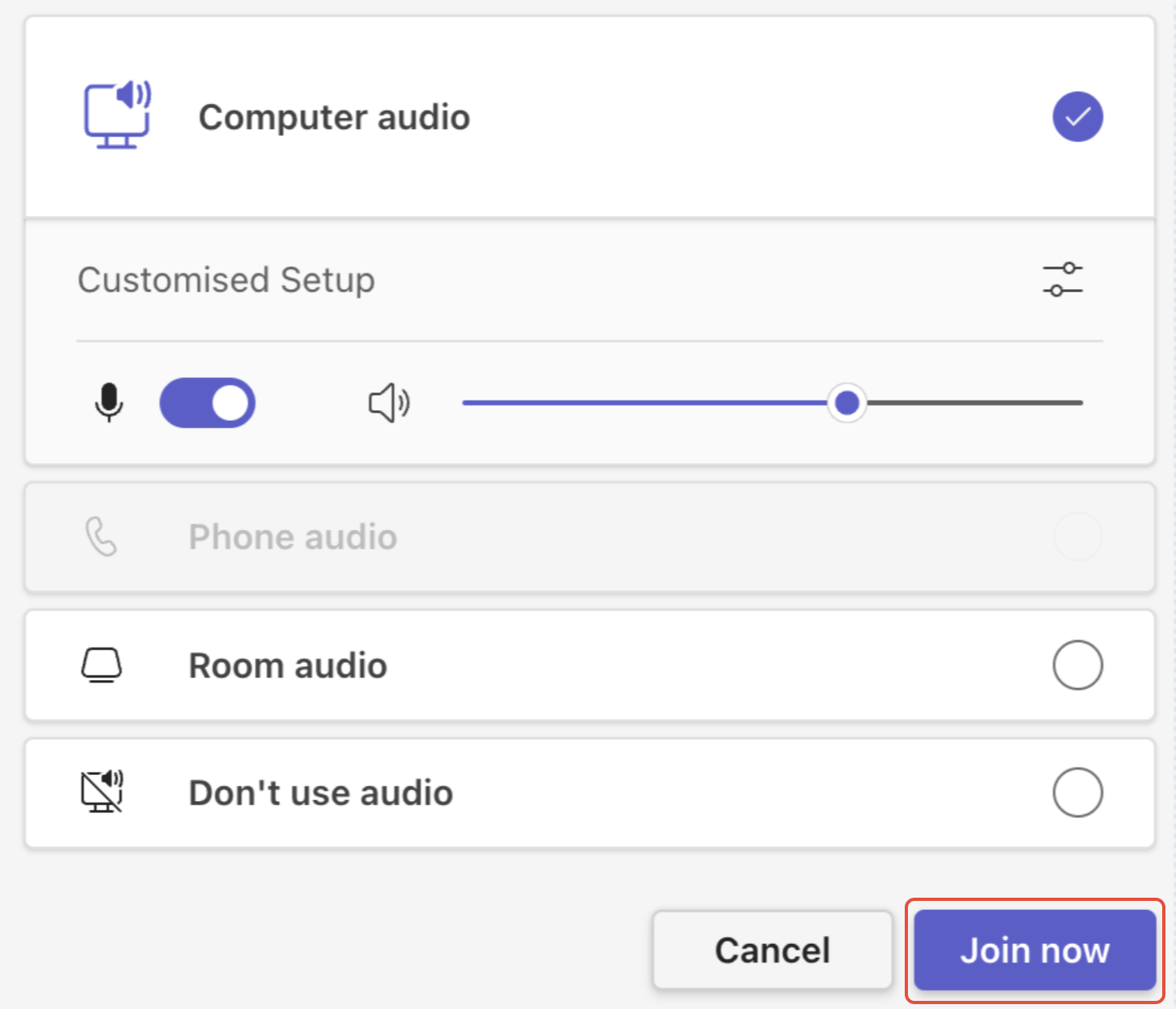
Rename & Start: Rename the meeting using the correct keywords for your desired output (e.g., "Discovery," "Strategy," or "SoA") and click Start Meeting.
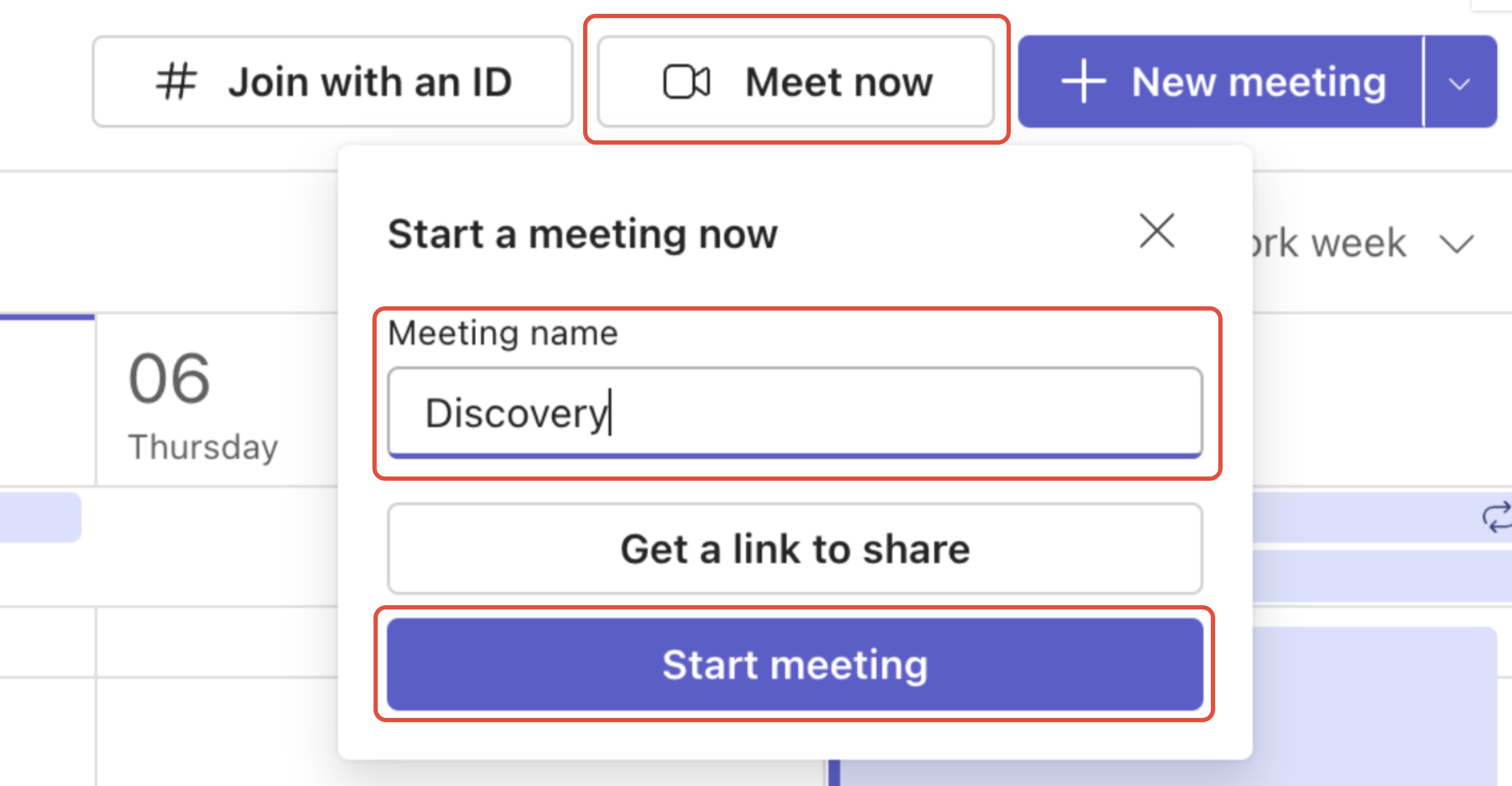
Join Now: Ensure your audio settings are correct (using the built-in mic) and click Join Now.
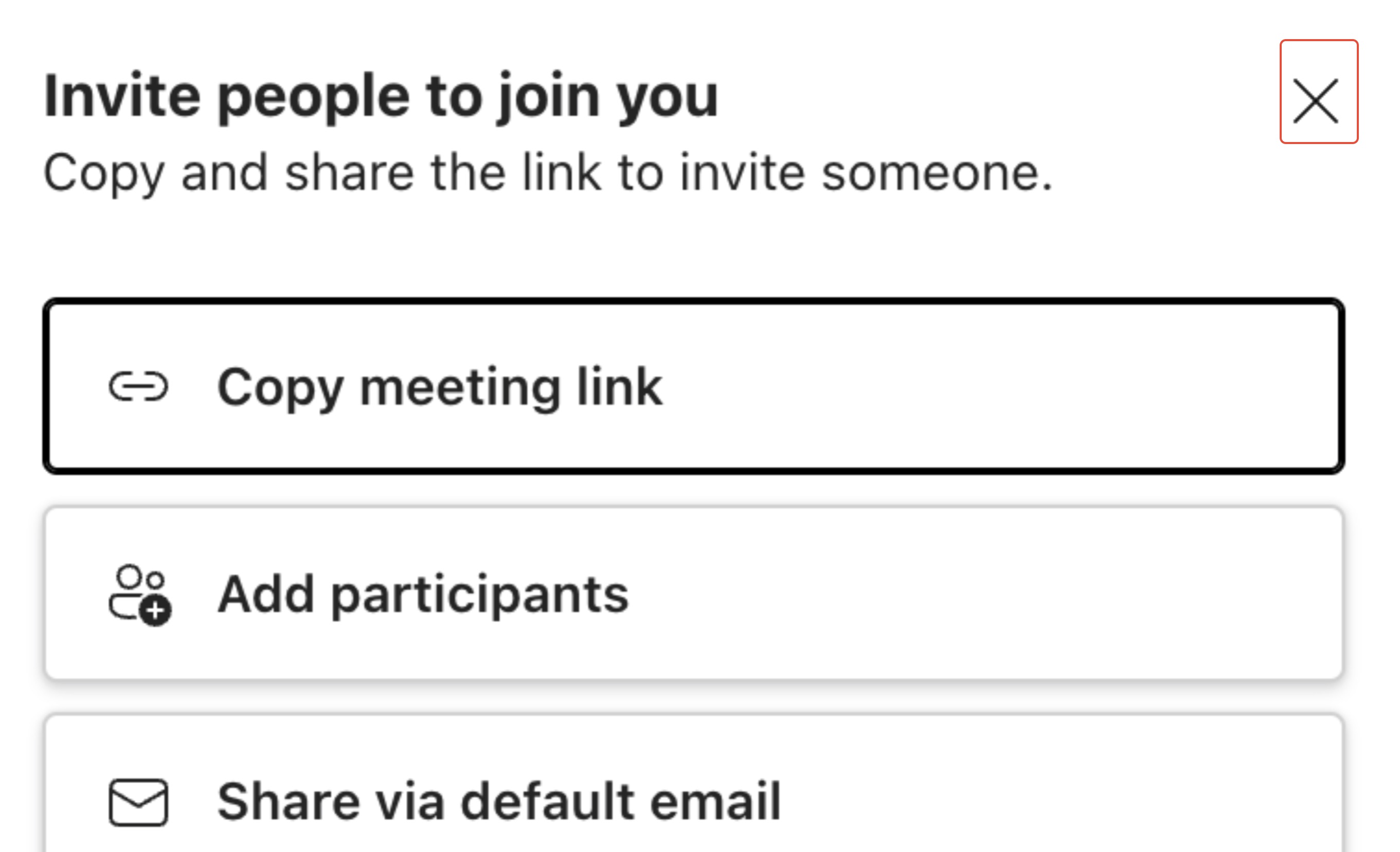
Dismiss Participants: Click the 'X' on the invite pane. Since this is an in-person meeting, there is no need to invite virtual attendees.
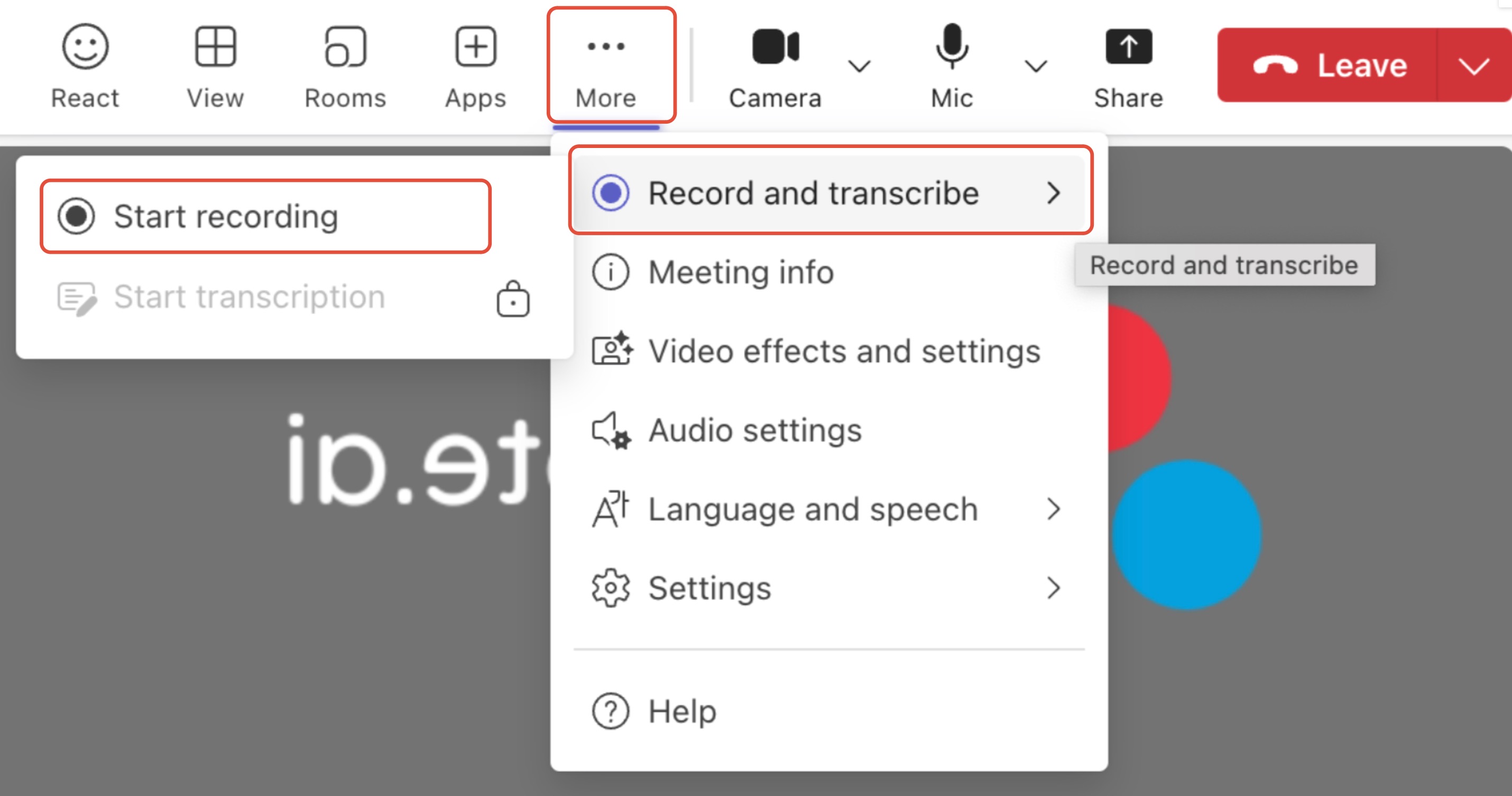
Start Recording: Click More (...), navigate to Record and transcribe, and select Start recording.
⚠️ CRITICAL: Do NOT select "Start transcription" on its own. File notes can only be generated from a Recording file.
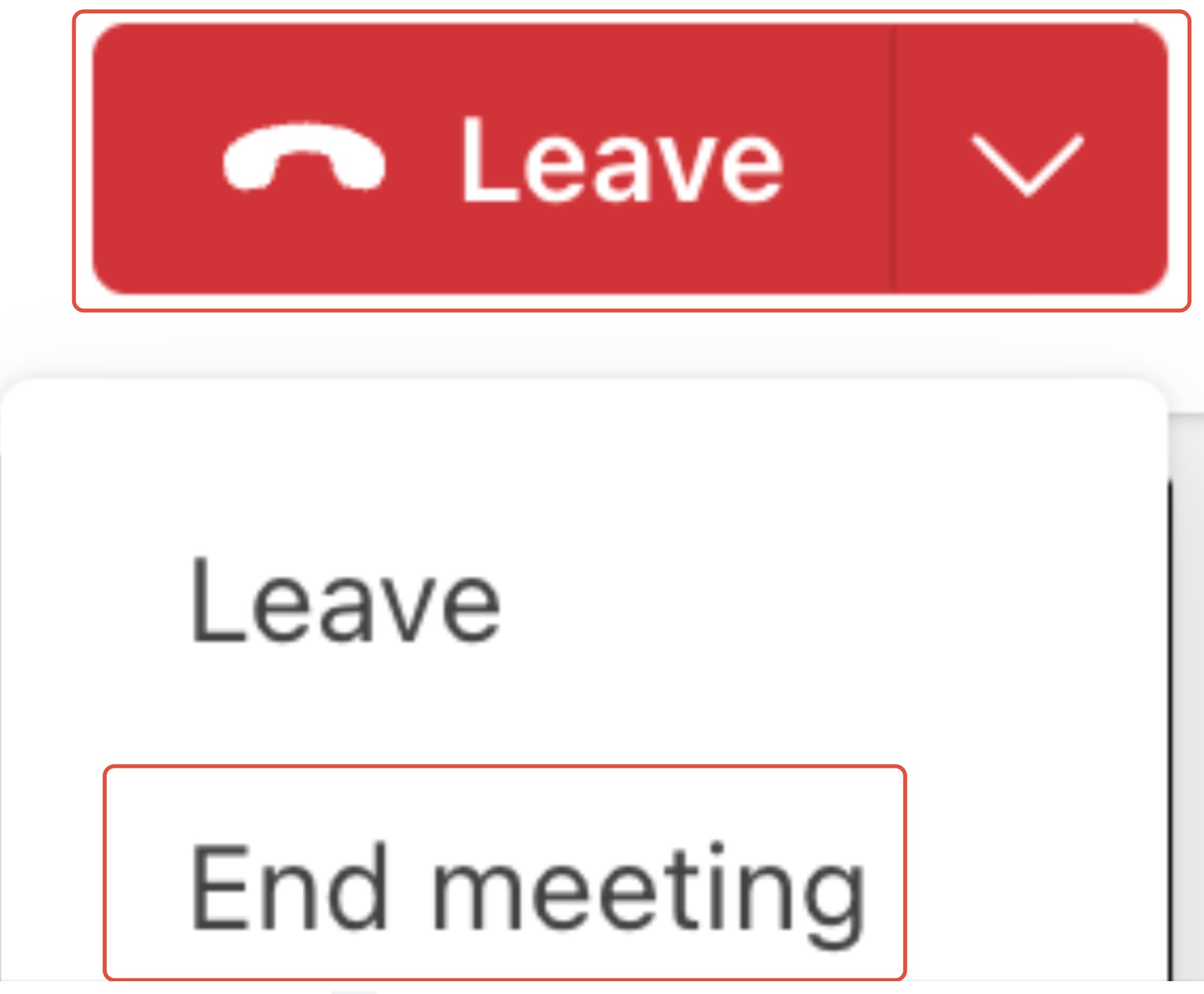
Conclude: At the end of the session, click the dropdown next to Leave and select End meeting.
What Happens Next?
Once the meeting ends for all participants, Filenote AI automatically takes over:
Retrieval: The system pulls the audio file from the cloud.
Generation: Your AI-generated output documents are created based on the keywords you used in Step 3.
Delivery: Your files are delivered directly to your Tasks in the platform for you to Review, Edit, and Finalize.
Critical Success Factors
Recording vs. Transcription: Always select Start Recording. Choosing "Start Transcription" instead will prevent the system from generating your file note artifacts.
Audio Input: Ensure your computer is not connected to headphones. The system needs to use the desktop microphone to pick up all voices in the room clearly.
Automated Processing: Your output will be generated automatically once the meeting is ended. No manual uploading is required.
Was this article helpful?
That’s Great!
Thank you for your feedback
Sorry! We couldn't be helpful
Thank you for your feedback
Feedback sent
We appreciate your effort and will try to fix the article