This article explains how to access your company invoices.
Note: only the email address used at sign up can access the Client Portal
If you have any issues logging into the Client Portal, please send email with your request to: hello@blvsolutions.com
Step 1: Access the filenote.ai Client Portal
- scroll to the bottom of filenote.ai website and click on "Client Portal"
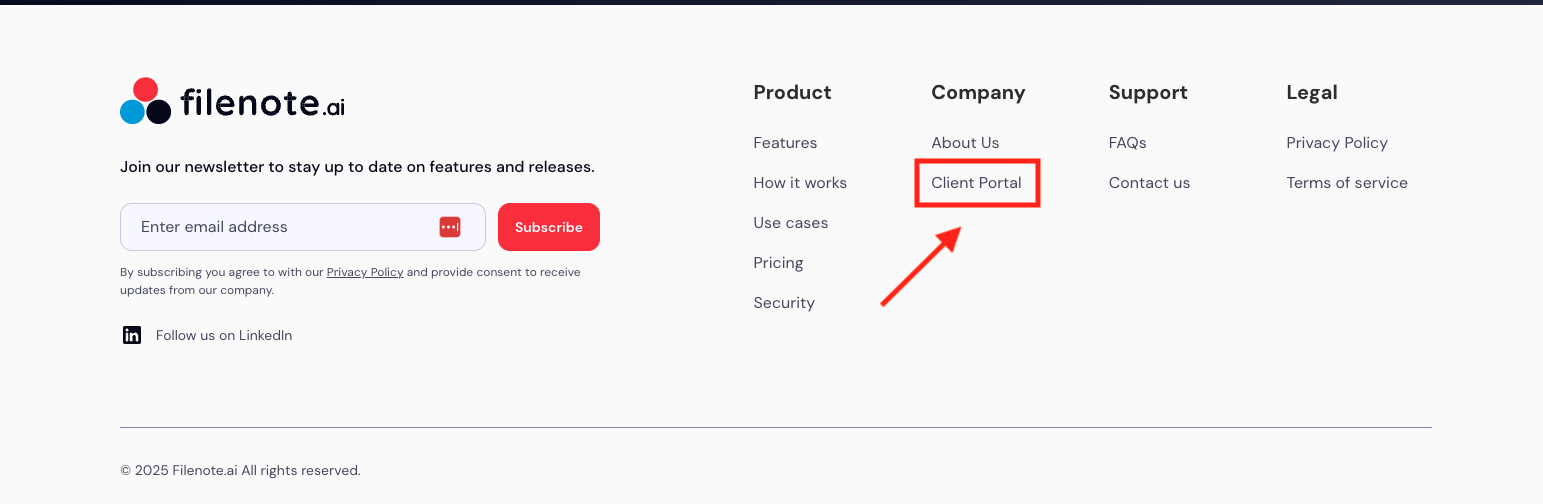
- Or follow this link: Client Portal
Step 2: enter your business email address and click 'Send'
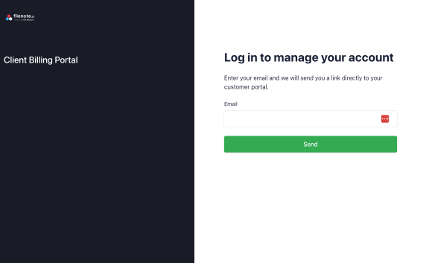
Stripe will send you an email with a link
- Click the link for the email (it will look like image below):
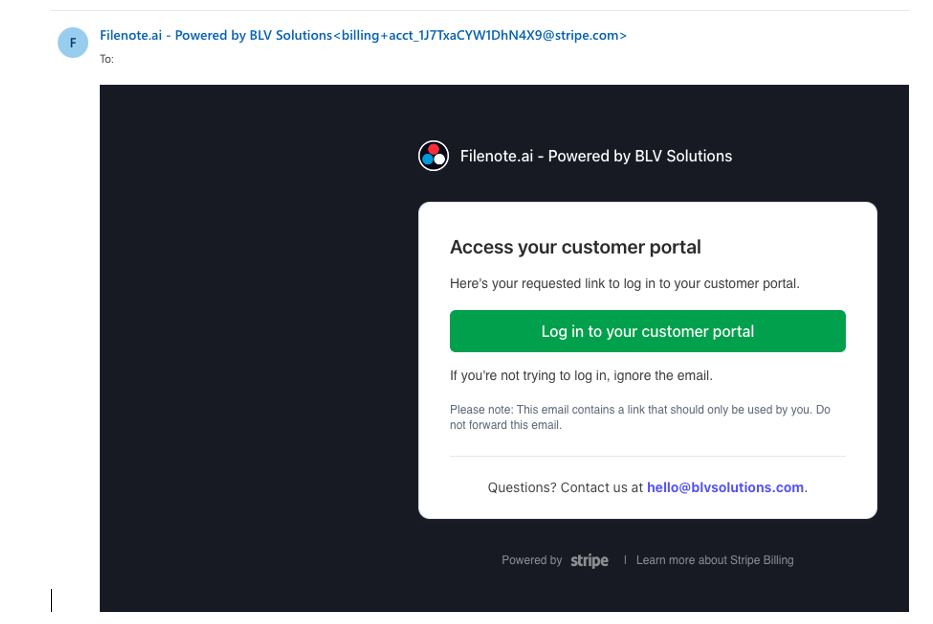
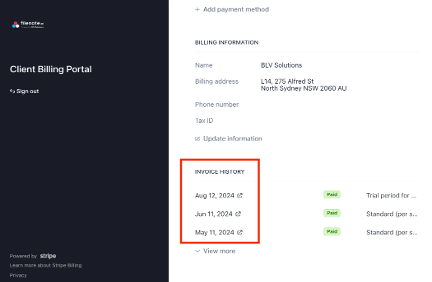
Step 3: Retrieve Your Invoices from the Client Billing Portal
- Find your invoices at the bottom under Invoice History
Was this article helpful?
That’s Great!
Thank you for your feedback
Sorry! We couldn't be helpful
Thank you for your feedback
Feedback sent
We appreciate your effort and will try to fix the article