Platform Connect: Adding Platforms
Platform Connect is where you save your default login details for your CRM & investment platforms. Filenote AI fills them in for you whenever a feature connects to that platform, such as Platform Reports or Fact Find Update. You only need to do this once.
How to add a platform
- Go to Settings / Platform Connect and open the Manage platforms tab.
- Click the + button (Add platform) at the top right of Connected platforms.
- Choose your platform from the list.
- Enter your default login user name, then click Save. For a CRM, also enter the website address you use to sign in.
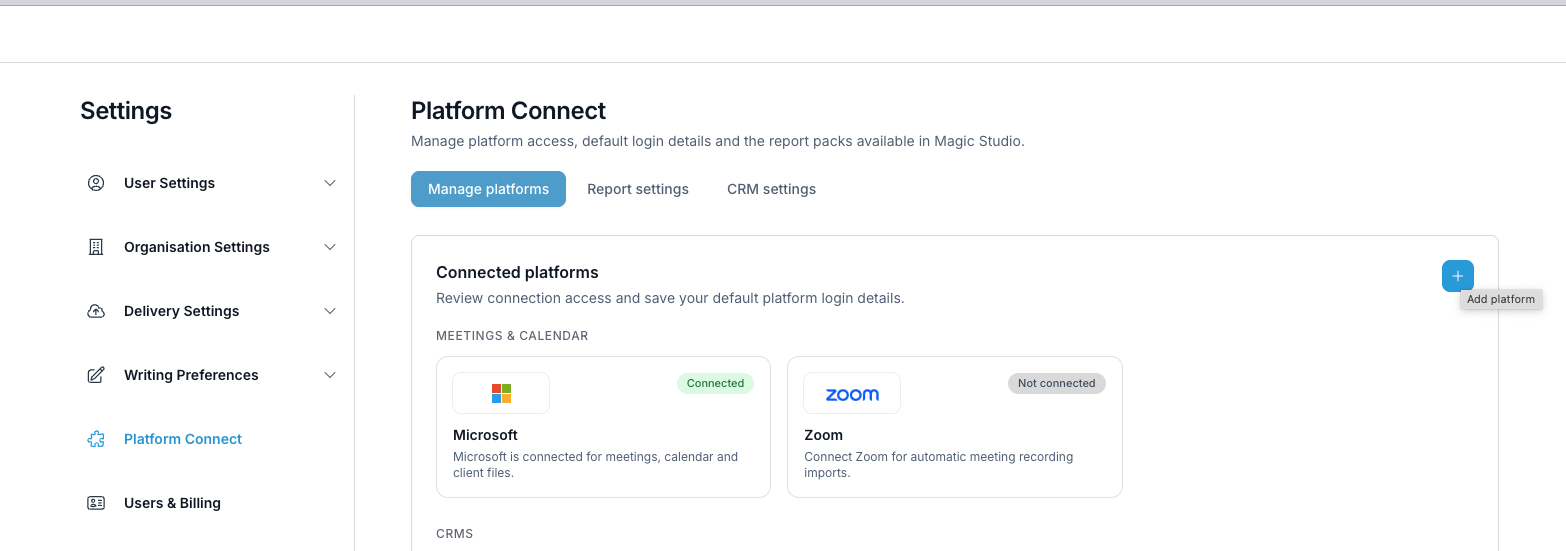
Your platforms are grouped under CRMs and Investment platforms. To change a login, edit it and click Save. To remove a platform, click the × on its card.
| ✓ Supported investment platforms Filenote AI currently supports Xplan and 6 investment platforms. The Add platform list only shows the platforms you haven't added yet. |
Next steps for Platform Reports
Getting Platform Reports running takes three steps. You've just done the first one.
| 1. Set up | Connect your CRM and investment platformsYou're here |
| 2. Configure | Set up your report packs and report dates |
| 3. Run | Run Platform Reports for your clients |
CRM: related articles
| Need help? If you run into any issues or have questions, our support team is here to help. Email Support → |
Was this article helpful?
That’s Great!
Thank you for your feedback
Sorry! We couldn't be helpful
Thank you for your feedback
Feedback sent
We appreciate your effort and will try to fix the article