Meet Filenote AI's Advice Flowcharts
With our new feature, you can automatically generate Cashflow, Investment, and Insurance Flowcharts from your Statements of Advice (SOAs), recorded meetings or paraplanner instructions. Our visually stunning flowcharts are delivered to you as ready-to-print, fully editable PowerPoint files. It's the simplest way to make your client advice clear, compelling, and visually outstanding.
| ✓ Key Feature: Magic Studio This feature is available exclusively on the Pro Plan and is generated via Magic Studio. |
| Step 1 | Upload your source document |
| Step 2 | Let the AI extract the advice |
| Step 3 | Download and edit from Tasks |
How it Works
Step 1 — Upload your source document
Start the process by uploading your source file into Magic Studio.
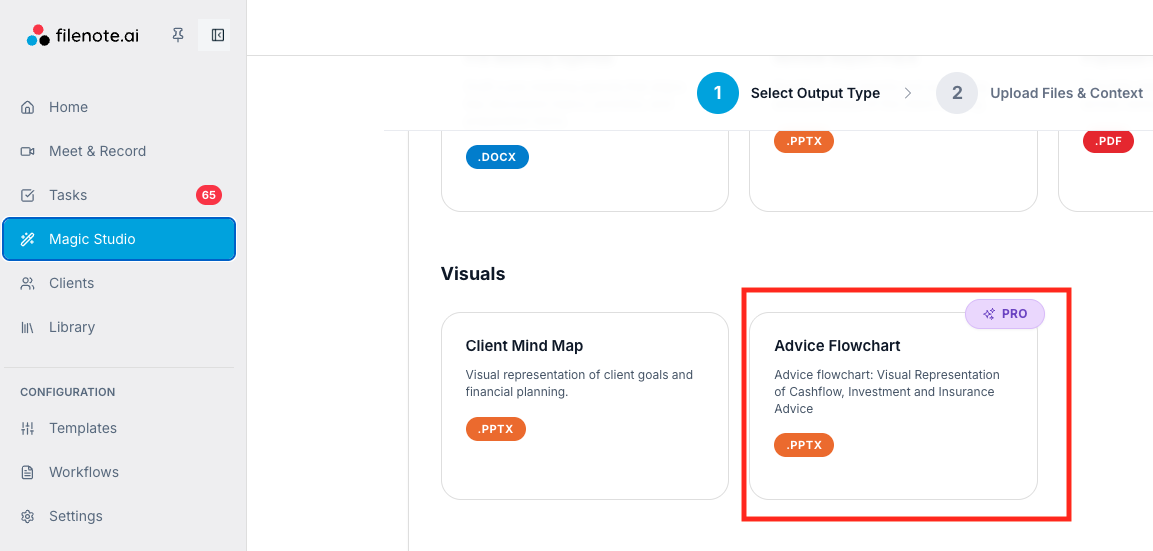
Step 2 — Add Client & Source Data
In Magic Studio step 2, add your client and input (SOA, recorded meeting or paraplan instructions).
| ? Recommendation: Use an SOA or Paraplanner Request For the most accurate results, we highly recommend uploading your draft Statement of Advice (SOA) or Paraplanner Request for the client. |
Once uploaded, Filenote AI will read the specific financial advice directly from your document to map out the strategy.
Step 3 — Download and edit from Tasks
Because this is a Magic Studio feature, your completed PowerPoint file will be delivered straight to your Tasks bar. Just download the file, make any final formatting tweaks, and it’s ready for your client presentation.
| Need help? If you run into any issues or have questions, our support team is here to help. Email Support → |
Was this article helpful?
That’s Great!
Thank you for your feedback
Sorry! We couldn't be helpful
Thank you for your feedback
Feedback sent
We appreciate your effort and will try to fix the article