This article explains how to record an iPhone call. You can also refer to the Apple User Guide.
Step 1: Go to the Phone App on your phone and make a call

Step 2: During the call, tap to record the call (top left of phone screen)
- Both participants will be notified that the call is being recorded.

Step 3: To stop recording, tap or just hang up
Call recordings are automatically saved to a Call recordings folder in the Notes app

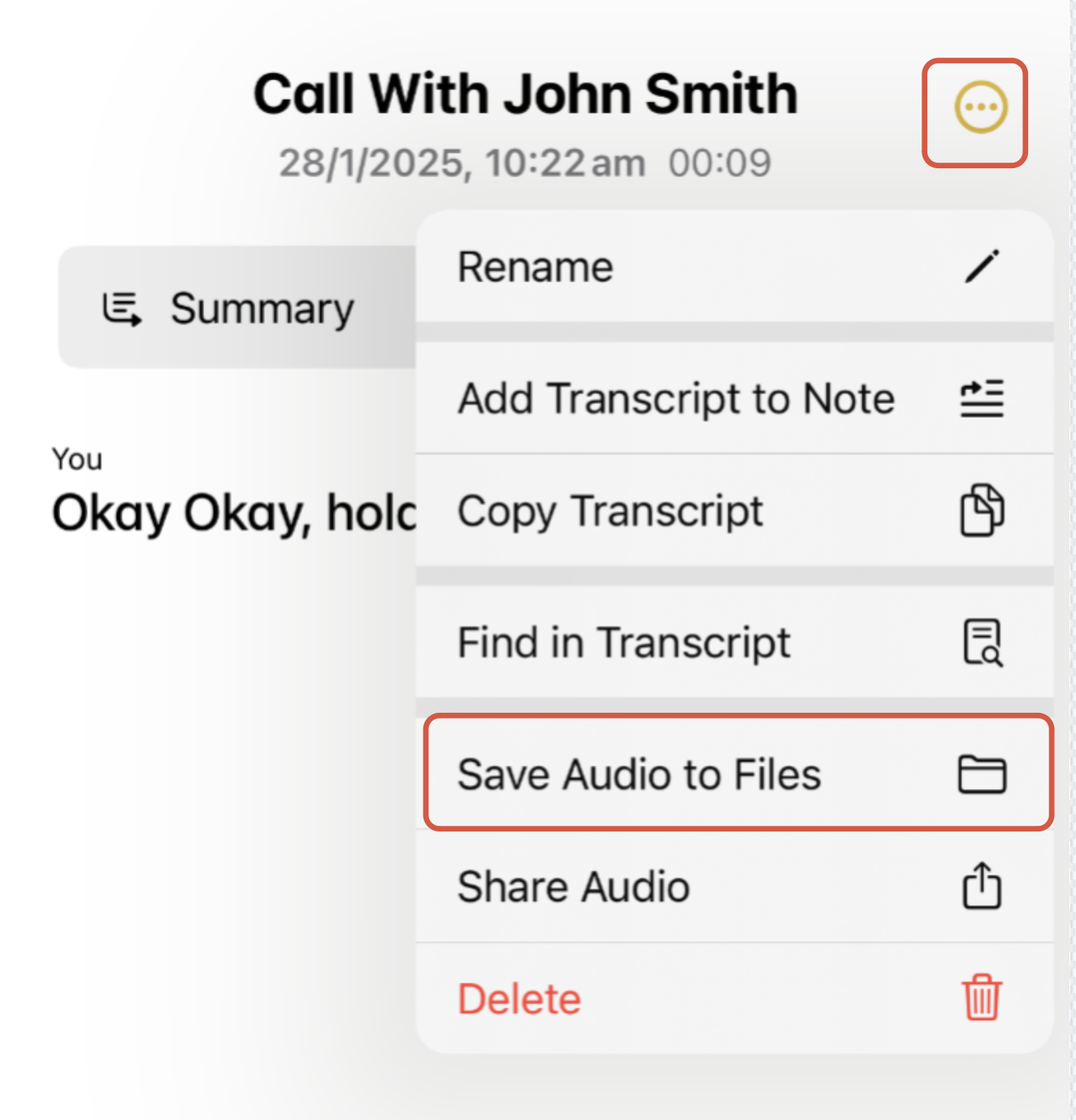
Step 4: Go to Call Recordings folder in the Notes app and Save Audio to Files
Please note:
- You will need to upload this audio file using the Teams app on your phone or laptop
Was this article helpful?
That’s Great!
Thank you for your feedback
Sorry! We couldn't be helpful
Thank you for your feedback
Feedback sent
We appreciate your effort and will try to fix the article